
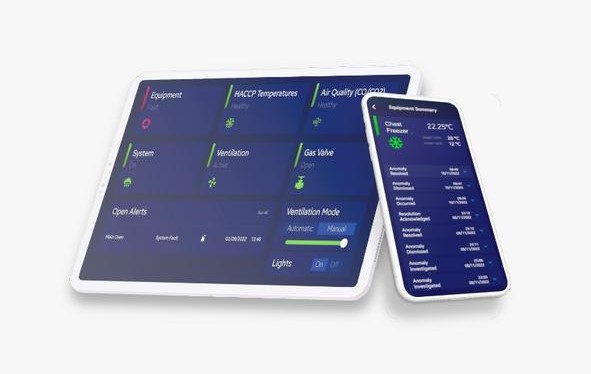
In Egypt’s fast-evolving business landscape, teams often operate under resource constraints, multiple sites, and heavy manual processes. These realities create inefficiencies, miscommunication, and inconsistent quality. Business checklist software can help fix that. By turning routine tasks into structured digital workflows, teams gain clarity, accountability, and real-time visibility. In this article, we will explore exactly how business checklist software supports Egyptian teams, present step-by-step guidance for implementation, and back everything with real-world data and regional context.
Why Egyptian Teams Need Checklist Software
Operational Complexity Is High
Many businesses in Egypt, especially SMEs, juggle multiple branches, outlets or field teams. Without standardized processes, execution differs widely site to site. Checklist software brings uniformity.
Digital Transformation Is Underway
According to the OECD, internet penetration in Egypt reached around 72.2% in 2021/22, and mobile subscriptions continue climbing.
Moreover, 16 SMEs in Egypt have been selected to digitize operations under the “Our Opportunity is Digital” initiative by ITIDA. itida.gov.eg
Therefore, even smaller companies are well positioned to adopt digital tools that support teamwork and operations.
SMEs Dominate the Economy
Micro, small and medium enterprises (MSMEs) represent a large part of Egypt’s business landscape. EKB Journals
Because these companies form the backbone of the private sector, enabling them via checklist software helps improve consistency across the economy.
Cash-to-Digital Shift Is Accelerating
A growing number of Egyptian SMEs are embracing digital payments. Over 50% have adopted them in the past two years.
Even more, 85% of SMEs indicate that digital payments are now central to their financial strategy.
What Is Business Checklist Software — And What Makes It Valuable for Teams
Business checklist software digitizes standard operating procedures (SOPs) so teams can follow, track, and report on tasks more reliably. Core capabilities include:
-
Pre-built checklist templates: For recurring workflows (inspections, cleaning, handovers).
-
Task assignment & escalation: Assign tasks, set due dates, and trigger alerts when tasks are overdue.
-
Evidence capture: Teams can attach photos, files or even geo-tags.
-
Offline/ mobile mode: Useful for teams working in areas with weak connectivity.
-
Dashboards & analytics: Show who completed what, where and when, and highlight gaps.
-
Role-based permissions: Control who sees what — frontline worker vs manager.
These features provide significant value: clarity, auditability, accountability and operational insight. Over time, they help teams self-correct and reduce manual overhead.
How Checklist Software Helps Egyptian Teams — Key Benefits
1. Consistency Across Locations
When you run multiple branches, variability is a constant risk. Checklist templates ensure every team follows the exact steps, regardless of location.
2. Reduced Errors and Missed Tasks
Teams often skip or forget tasks, especially under pressure. With reminders, escalations, and required evidence, checklists reduce the chance of mistakes.
3. Faster Onboarding
New employees can use digital checklists to understand daily routines. For example, a store opening checklist ensures new staff know exactly what to do, in what order.
4. Better Accountability
With task ownership and status tracking, managers see who did what and when. This visibility improves accountability across teams.
5. Data-Driven Improvement
Analytics generate insights on where tasks are consistently late or problematic. Leadership can then refine the process, improve training, or adjust the SOP.
6. Audit Trail & Compliance
Digital checklists capture timestamps, evidence and logs. This is valuable for regulatory inspections, internal audits or quality control.
7. Time Savings
Automated reminders eliminate manual follow-up. Teams cut time wasted in chasing status, consolidating reports, or clarifying tasks.
8. Support for Deskless/Field Teams
In operations like retail, manufacturing, service or logistics, many workers do not use desks. Mobile checklist software ensures they can complete tasks, even offline.
Step-by-Step Implementation Guide for Egyptian Teams
Here is a detailed roadmap to help Egyptian businesses adopt business checklist software effectively:
Step 1: Assess Your Current Workflows
-
List all recurring operational tasks: cleaning, inspections, shift handovers, maintenance.
-
Map how these tasks flow: who initiates, who verifies, reporting path.
-
Identify pain points: frequent mistakes, missing steps, inconsistent documentation.
Step 2: Establish SOPs and Task Ownership
-
For each task, define who owns which steps.
-
Clarify what “done” means (e.g., “signed off,” “photo evidence submitted”).
-
Assign clear roles: frontline staff vs shift supervisor vs branch manager.
-
Set escalation rules: “If not done by 10 AM, notify manager,” etc.
Step 3: Choose the Right Software
-
Look for tools that support mobile, offline, Arabic/English UI, photo uploads, and dashboards.
-
Evaluate regional vs global vendors: Do they understand Egyptian operational context?
-
Request a trial to test templates, data capture, and dashboards.
Step 4: Build Checklist Templates
-
Create templates for your high-priority workflows.
-
Include conditional logic: e.g., “If temperature > threshold, then log a photo.”
-
Define required fields to enforce compliance.
-
Pilot these templates with a small team before widespread rollout.
Step 5: Run a Pilot
-
Select one location or team to implement the software.
-
Train users, provide support, and collect feedback.
-
During the pilot, measure completion rates, task delays, and error rates.
-
Adjust templates and workflows based on pilot feedback.
Step 6: Roll Out to All Teams
-
After successful pilot, scale deployment to other branches or teams.
-
Conduct training workshops; designate “checklist champions” at each site.
-
Set deadlines or goals (e.g., all tasks must be completed via software by month X).
-
Provide user guides (in local language) and support the first few weeks actively.
Step 7: Monitor Usage & Performance
-
Use dashboards to track key metrics: checklist completion rate, overdue tasks, photo submissions.
-
Identify sites or teams lagging in adoption.
-
Hold weekly or monthly reviews: look for common challenges, refine templates accordingly.
Step 8: Iterate & Improve
-
Analyze data on recurring errors or misses.
-
Update checklists to reflect changes: drop irrelevant items, add clarifying steps.
-
Use lessons from one team/location to improve others.
-
Make the checklists part of standard operations and continuous improvement.
Step 9: Institutionalize the Practice
-
Make checklist compliance a KPI for managers.
-
Recognize and reward branches or teams that consistently complete tasks accurately.
-
Incorporate checklist audits in internal reviews or performance metrics.
-
As business evolves, expand your checklist software to cover new workflows (training, quality, onboarding).
Real-World Data & Regional Context Supporting Adoption
-
The OECD reports that regional divides in internet access remain in Egypt: urban areas show about 86% internet usage, while rural areas are around 60%. OECD
-
The Digital Egypt program is a national strategy that targets digital transformation across government and business, reinforcing demand for digital tools.
-
According to Ken Research, Egypt’s cloud ERP market for SMEs is growing rapidly.
-
Through ITIDA’s “Our Opportunity is Digital” initiative, SMEs are actively supported to adopt digital transformation, including operations software.
-
As noted earlier, 85% of Egyptian SMEs now accept digital payments, signaling strong digital adoption momentum. Egypt Business
These data points validate that Egyptian businesses are both ready and primed for operations digitization.
Use Cases: Teams in Egypt That Benefit from Checklist Software
Retail Outlets
Retail chains in Cairo or Alexandria can use checklists for opening/closing procedures, inventory audits, shelf stocking and cleaning. Task owners gain visibility, and regional managers can monitor performance centrally.
Food & Beverage / QSR
Restaurants, cafés or quick-service outlets can digitize HACCP checklists, temperature logs, cleaning routines, equipment checks. Digital checklists reduce food safety risk, standardize routines, and provide audit trails.
Manufacturing Teams
Factories can use checklists for daily maintenance, safety inspections, shift handovers, quality control. Teams working on the floor or in remote plants benefit from mobile access and management visibility.
Field Service Teams
Companies with field technicians (maintenance, repair, installation) can assign tasks via mobile, allow photo evidence, capture time-stamps, escalate issues, and close jobs with confirmation — boosting productivity and accountability.
Office / Headquarters Teams
HQ operations teams (HR, finance, operations) can use checklist software to manage monthly close, compliance audits, training sign-offs, and policy updates. Checklists standardize execution across departments.
Challenges Specific to Egypt — and How Checklist Software Helps
Challenge: Digital Infrastructure Gaps
-
Although internet usage is growing, rural areas lag.
-
Checklist apps with offline mode can help teams stay productive even with poor connectivity.
Challenge: Digital Skills & Adoption
-
Many SMEs lack advanced digital literacy.
-
Use training, champions, and simple UI (Arabic/English) to flatten the learning curve.
Challenge: Cost Constraints
-
Advanced software may feel costly for small businesses used to informal methods.
-
But ROI comes through saved time, fewer errors, and stronger team alignment. Also, cloud-based tools reduce upfront infrastructure costs.
Challenge: Cultural Resistance
-
Teams may resist changing manual habits.
-
Mitigate by showing value: speed, audit trails, recognition, and easier monitoring.
Measuring the Impact: Key Metrics to Track
To evaluate how business checklist software is helping your teams, track:
-
Checklist completion rate: Percentage of tasks completed on time.
-
On-time vs overdue tasks: How many tasks go past their deadline.
-
Task ownership clarity: Monitor how often assignments are changed or reassigned.
-
Evidence submissions: Percentage of checklists with required photo or attachment.
-
User adoption: Number of active users, frequency of checklist use.
-
Process improvements: Errors reduced, recurring issues caught, SOP refined.
-
Time saved: Estimate supervisor hours saved in chasing updates.
Baseline measurement (pre-software) is critical. Compare those metrics with performance after 3, 6 and 12 months to judge ROI.
Future Trends: Checklist Software & Team Collaboration in Egypt
Looking forward, several trends will amplify the value of checklist software for Egyptian teams:
-
IoT Integration: Sensors can feed data into checklists (e.g., temperature logs).
-
AI & Predictive Analytics: Systems may flag items that often fail or predict which site will miss tasks.
-
Mobile-first Adoption: Teams on the ground will increasingly rely on mobile checklist tools with offline sync.
-
Localisation: More Arabic-language templates and region-specific SOP frameworks will emerge.
-
Regulatory Digitization: As Egypt digitises inspections and audits, digital checklists may become standard for compliance.
These developments will drive even greater efficiency, accountability and teamwork across Egyptian operations.
Why Leading Businesses Trust Modeeri for Operational Excellence
Managing staff across multiple locations can be challenging, but software solutions like Modeeri make it seamless. Designed by experienced operators, Modeeri is the ultimate tool to streamline operations and ensure consistency across your entire chain.
With robust features such as checklist management, temperature monitoring, organized document storage, automated training programs, and label management, Modeeri empowers your team to maintain top performance, even when you’re not onsite.
Tailored for multi-location businesses with deskless teams, Modeeri simplifies onboarding, enhances compliance, and ensures every location operates to your high standards. Learn more or try Modeeri for free today!
Image by freepik